This can be configured via
Tool #326 CU Hardware Configuration for your designated terminal/workstation ID. Under the
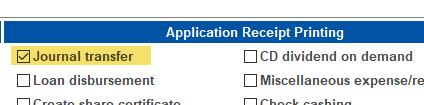
Application Receipt Printing section the
Journal transfer option needs to be checked. That will cause the
Print receipt option to be checked automatically when performing your next transfer in Phone Operator.
Below is an example screenshot of the transfer screen in Phone Operator where the
Print receipt option is checked. (You can still uncheck it as needed for individual transfers, if you wish.)
